On this page
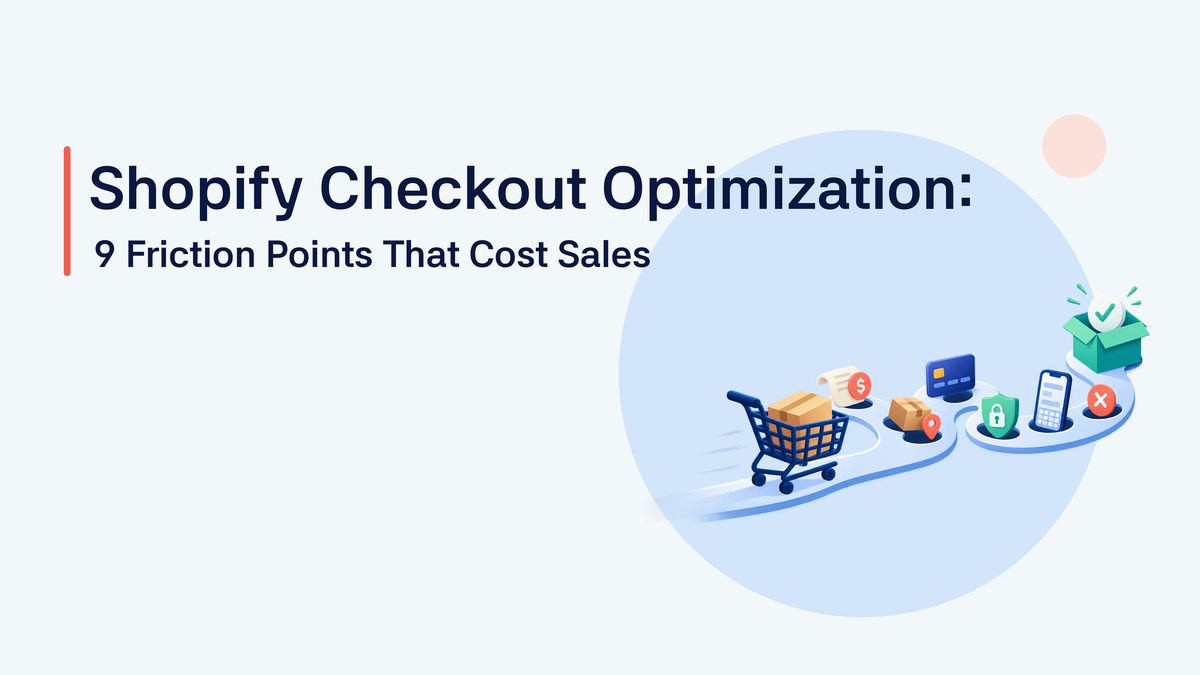
Shopify Checkout Optimization: 9 Friction Points That Cost Sales
Find and prioritize Shopify checkout friction across shipping, payment, trust, mobile completion, errors, cart, and the upstream store experience.

Checkout optimization starts before checkout
When a Shopify store loses customers during checkout, the problem may not have started on the checkout page. A shopper may already be uncertain about:
- the product’s value;
- compatibility;
- shipping cost;
- delivery timing;
- returns;
- payment options;
- whether the purchase is worth completing.
By the time that shopper reaches checkout, the store may already have lost enough confidence to prevent the purchase. Shopify checkout optimization should therefore include the handoff from product intent to checkout completion.
Cart abandonment and checkout abandonment are different
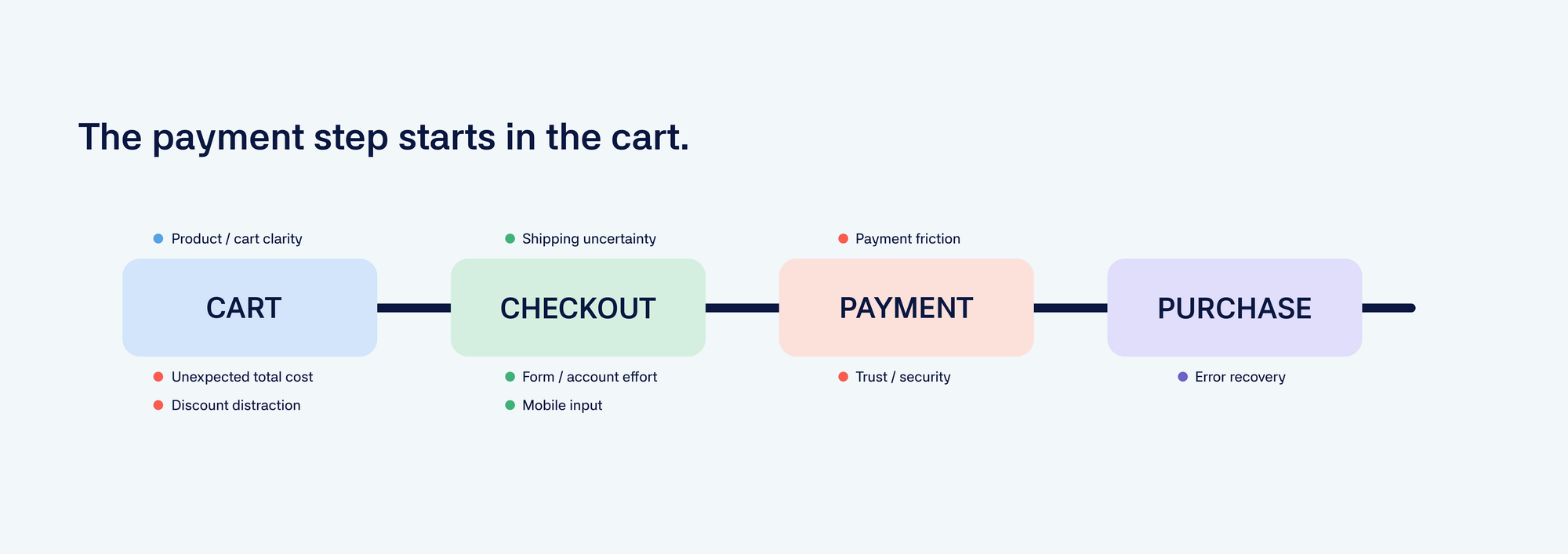
These two problems are related but not identical. Cart abandonment happens when a shopper adds a product to the cart but leaves before beginning checkout. Checkout abandonment happens when a shopper starts checkout but does not complete the purchase. The difference matters because the causes may be different. Cart abandonment may come from:
- unexpected shipping costs;
- weak product confidence;
- unclear delivery;
- missing compatibility information;
- comparison shopping.
Checkout abandonment may come from:
- payment failure;
- form effort;
- mobile input friction;
- unexpected total cost;
- error states;
- trust concerns.
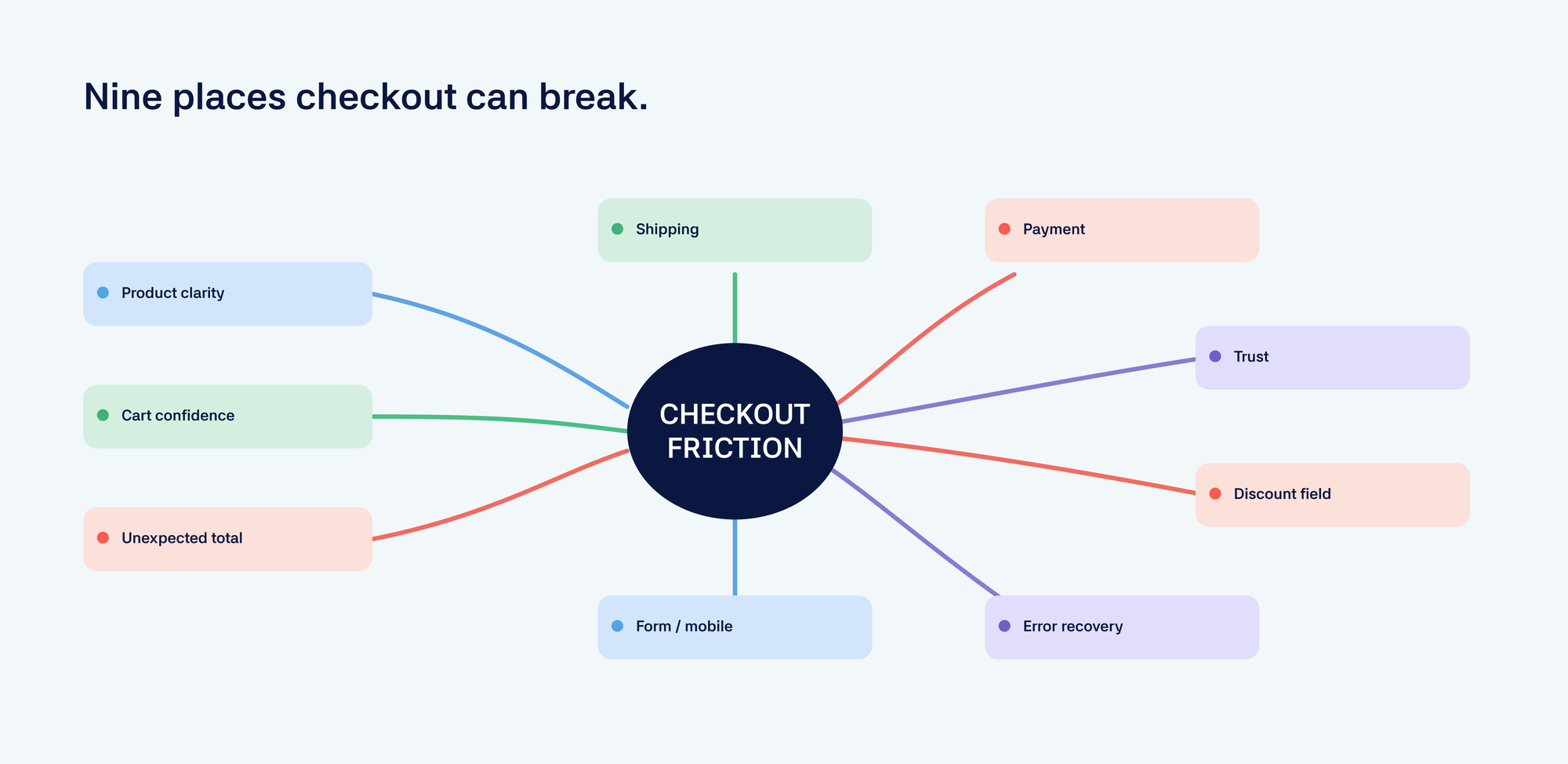
Nine checkout friction points to investigate
1. Unexpected total cost
Shipping, taxes, duties, or fees that appear late can change the purchase decision. Review when customers first see the total cost and whether the information is clear before checkout.
2. Shipping and delivery uncertainty
Customers may abandon when they do not know:
- when the order will arrive;
- how much delivery costs;
- whether the product can ship to them;
- what happens if delivery is delayed.
Shipping information is part of conversion, not only fulfillment.
3. Payment friction
Review whether customers have access to an appropriate payment method and whether failures are visible and recoverable. Payment behavior may vary by location, device, order value, and customer type.
4. Form and account friction
Every additional step creates an opportunity for a shopper to stop. Review:
- required fields;
- address entry;
- account requirements;
- confusing labels;
- error recovery;
- unnecessary repetition.
5. Mobile input friction
Mobile checkout can create problems through:
- small fields;
- keyboard issues;
- unclear error messages;
- difficult address entry;
- slow loading;
- buttons that are hard to reach.
Compare mobile and desktop checkout completion instead of assuming they behave the same way.
6. Trust and security concerns
Customers may still hesitate at checkout if they cannot find enough reassurance about:
- payment security;
- returns;
- delivery;
- customer support;
- guarantees;
- business legitimacy.
Trust should be built throughout the store, not added only at the final step.
7. Discount-code distraction
A discount-code field can create a problem when it makes customers wonder whether they are missing a better price. The right solution depends on the business model. Removing or changing the presentation of discounts may be more useful than offering another promotion.
8. Error states and failed recovery
A failed payment or form submission should not leave the shopper confused. Review:
- what error messages say;
- whether the shopper knows how to recover;
- whether entered information disappears;
- whether support is easy to reach;
- whether the issue is visible in the data.
9. Upstream product and cart friction
Checkout problems often begin earlier. A shopper may reach checkout without fully understanding:
- which product or variant they selected;
- whether it is compatible;
- when it will arrive;
- why it costs what it costs;
- whether they can return it.
Improving checkout may therefore require improving the product page, navigation, cart, or shipping communication.
What can actually be changed?
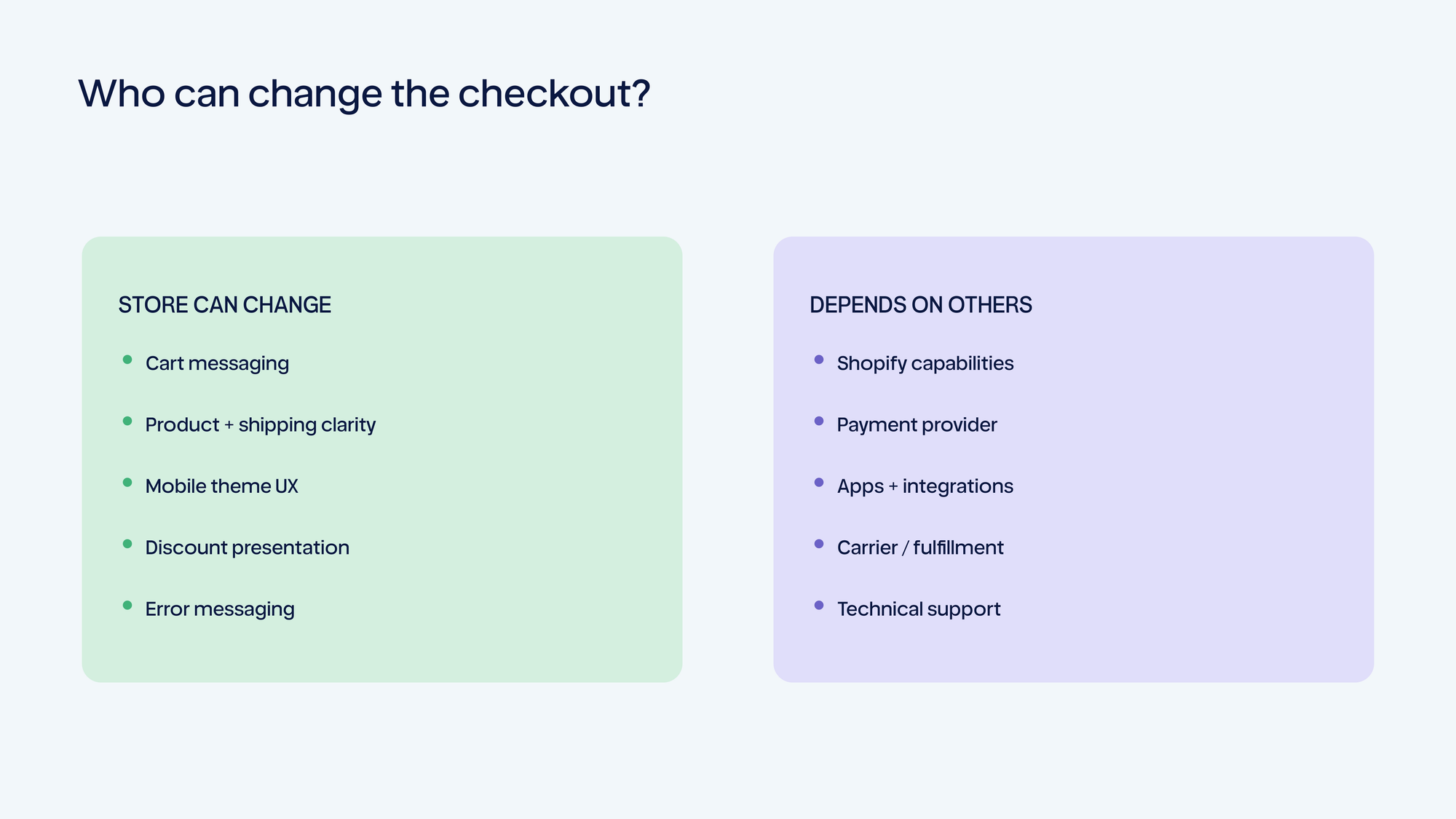
Not every checkout variable is controlled by the same team. Depending on the store, a change may involve:
- store configuration;
- theme or cart work;
- shipping settings;
- payment settings;
- an app;
- Shopify plan capabilities;
- checkout extensibility;
- custom development;
- a logistics or payment provider.
A credible checkout-optimization plan should distinguish between what can be changed directly, what requires technical support, and what is constrained by the platform or business.
How to diagnose checkout friction
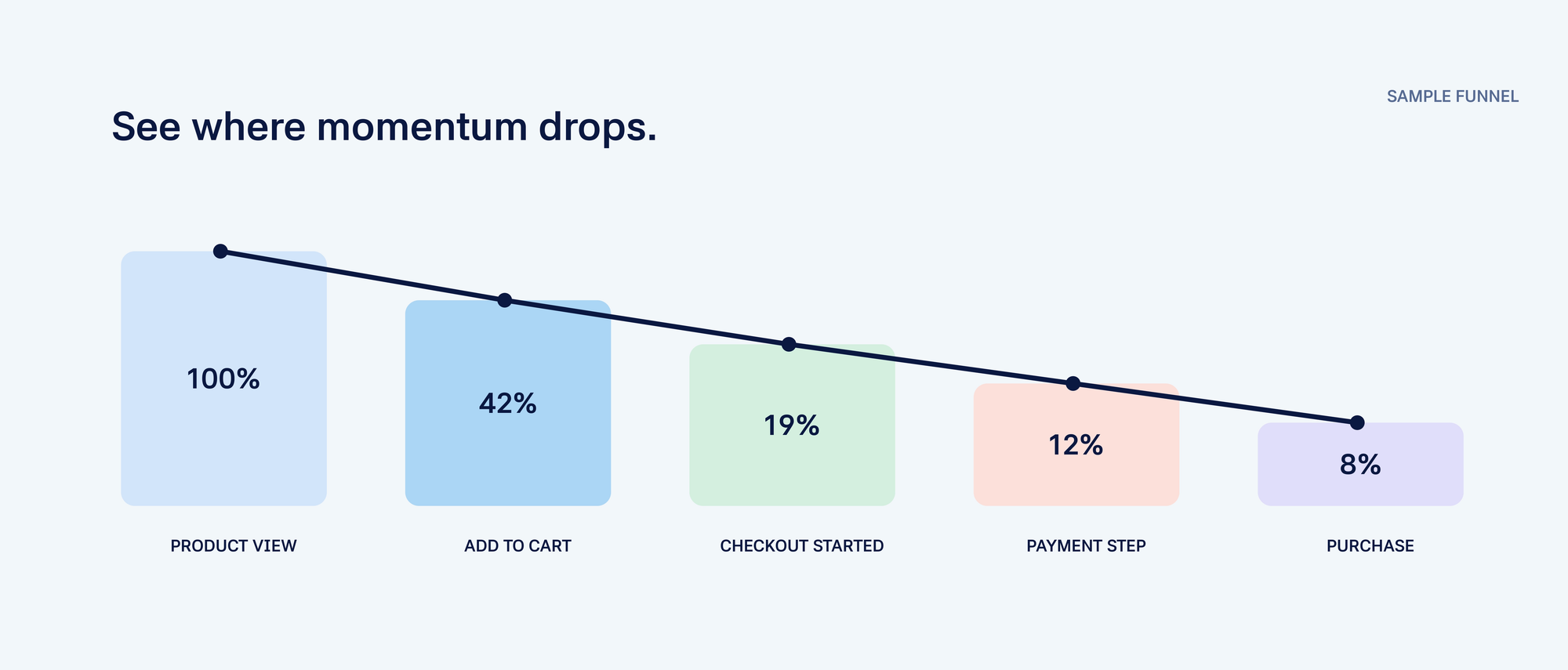
Start with the funnel:
- Product view
- Add to cart
- Checkout started
- Shipping information
- Payment step
- Purchase completed
Then segment the data by:
- device;
- traffic source;
- geography;
- product;
- payment method;
- shipping method;
- new versus returning customer.
Combine quantitative signals with qualitative evidence from the shopping experience. The data can show where shoppers leave. The investigation should help explain why.
How Gentoo prioritizes checkout opportunities
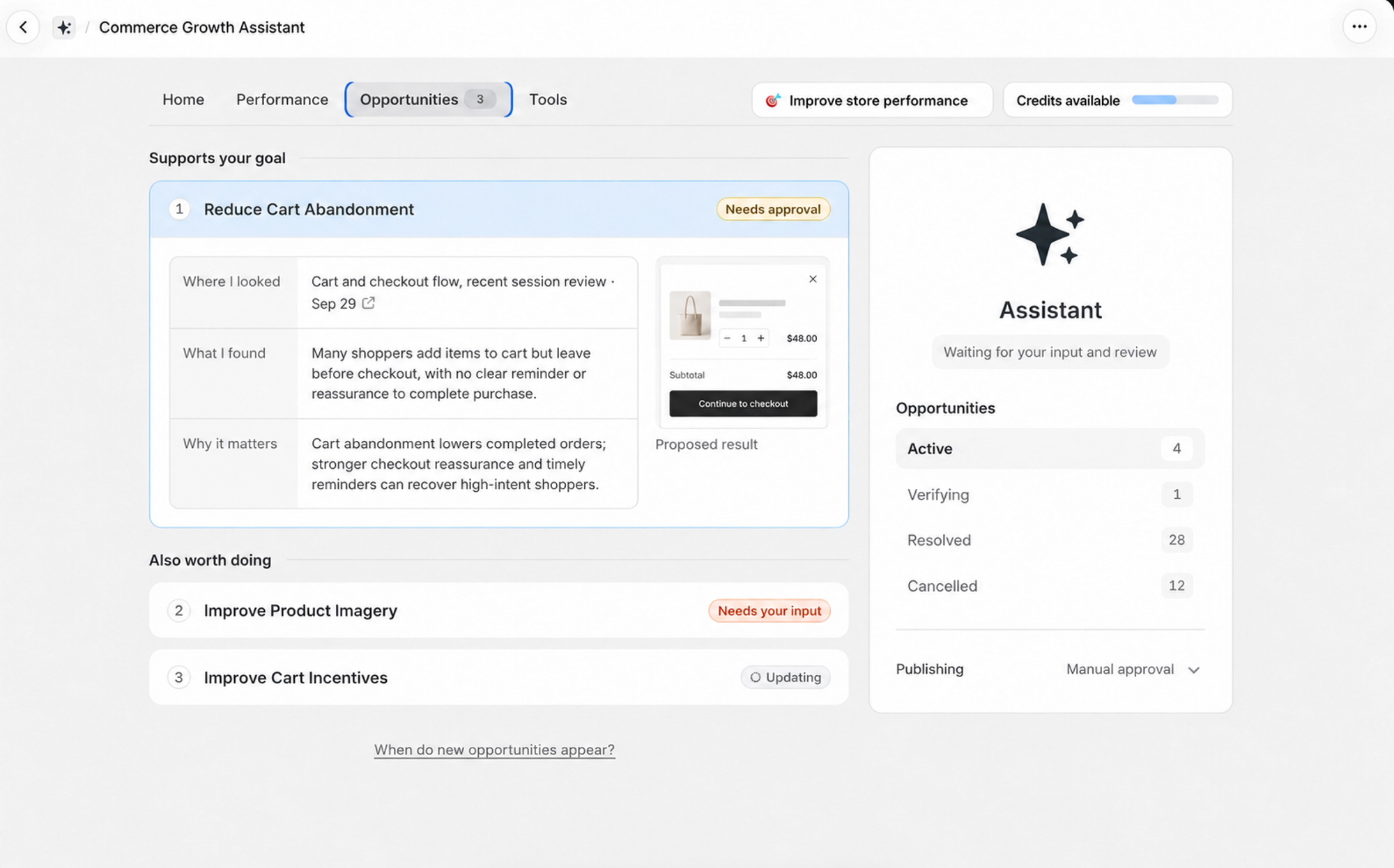
Gentoo does not assume that every checkout issue deserves immediate attention. It looks at the merchant’s goal, the shopper journey, and the likely business impact to determine where attention is most valuable. Sometimes the best next action is a checkout change. Sometimes the better opportunity is upstream: clearer product information, improved navigation, more transparent shipping, or a stronger cart experience.
🎯 Not sure whether checkout is the real problem? Run Gentoo’s Quick Analyzer to see which store opportunities deserve attention first.
Checkout optimization should lead to a better next action
The objective is not to remove every possible friction point at once. It is to understand which issue is most connected to the merchant’s business goal, execute a focused improvement, measure the outcome, and use what was learned to decide what should happen next. That may involve checkout. It may also reveal that the real opportunity is somewhere earlier in the customer journey.